One sender · A whole room
Hand files toeveryone at once.
Pick files, get a 6-digit code, tap Start — and then do nothing. Your phone advertises the drop to everyone nearby and serves the files directly. No internet, no accounts, no cloud.
Android · Free · Nothing leaves your local network
Nearby
8 receiving/4 queued
Every other transfer app is a conversation.
AirDrop, Quick Share and LocalSend are one-to-one and active — both people interact for every single transfer. That falls apart the moment one person needs to hand the same files to thirty.
The old way
One-to-one, and active
…and 24 more, one at a time.
30handshakes for one class
WaftDrop
One-to-many, and passive
You act once. Everyone nearby sees the drop and helps themselves — 8 downloading at a time, the rest queued automatically.
You already put your phone away.
1handshake for one class
WaftDrop inverts it. The sender acts once. Receivers help themselves.
How it works
Three taps, then nothing.
Every step is labelled with who has to act. Notice where the sender's column stops.
- You
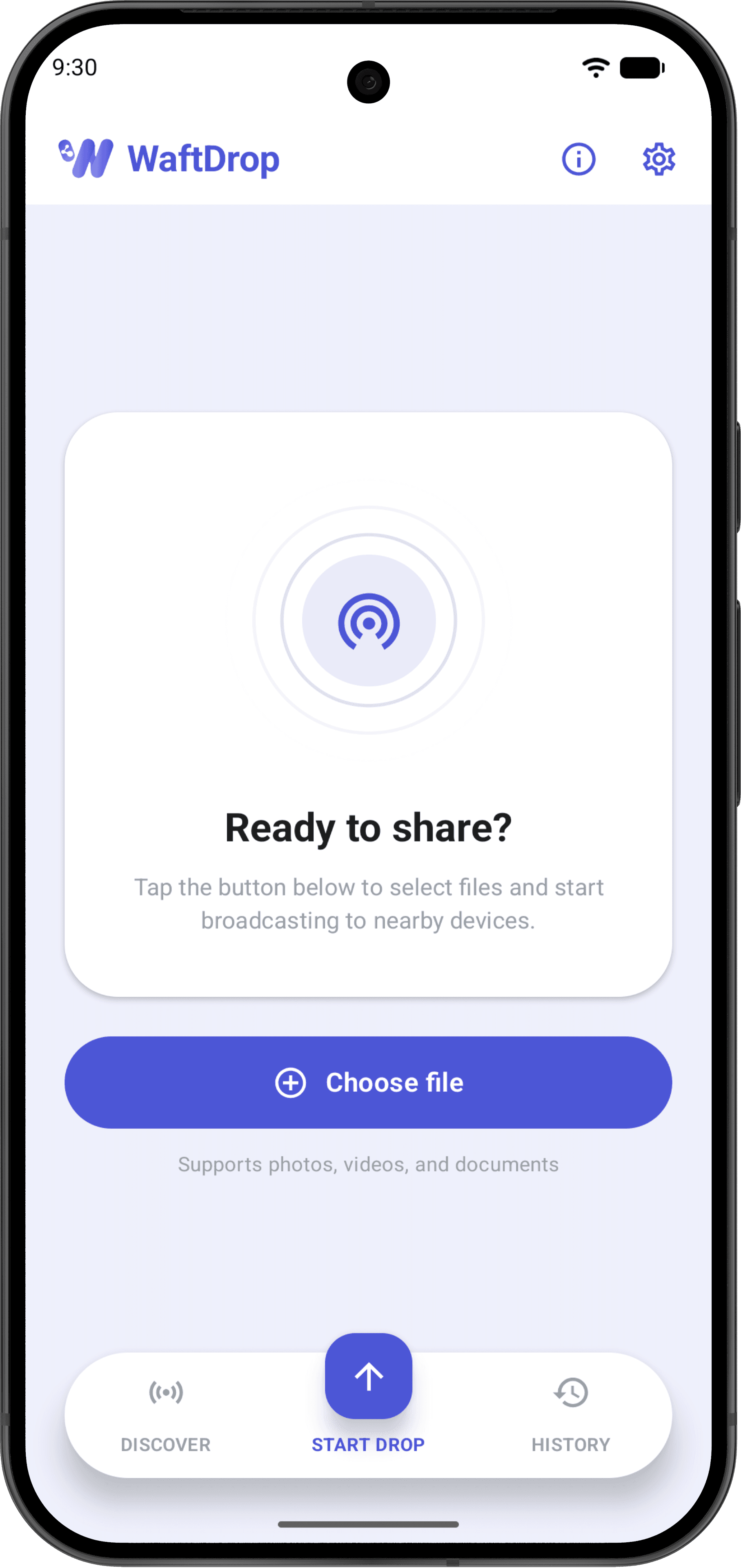
Pick your files
Photos, videos, documents — whatever's on your phone. Nothing is copied, indexed or catalogued; WaftDrop just reads what you point it at.
- You
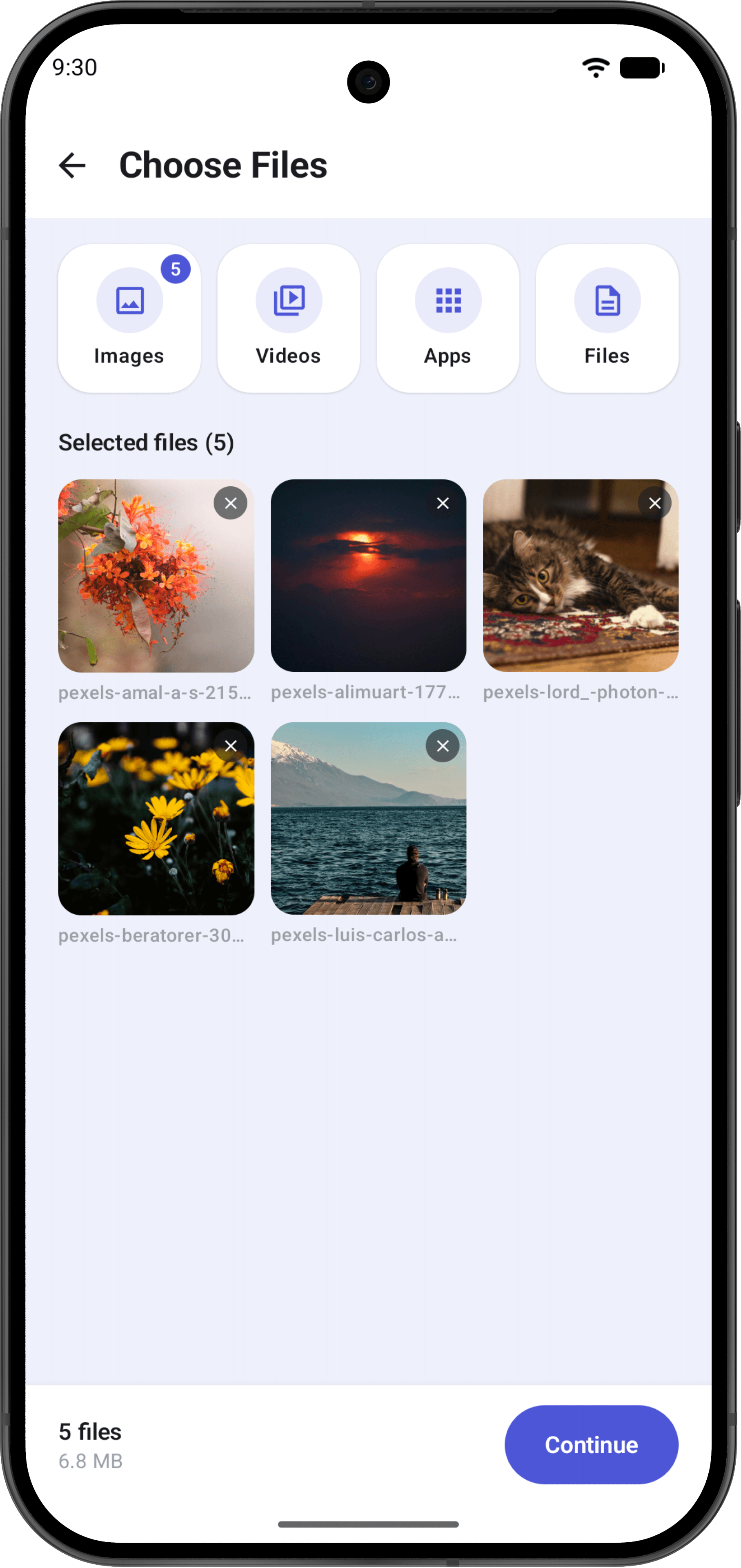
Tap Start, get a code
Your phone starts advertising the drop and serving the files over HTTP. Set an expiry and a receiver limit, then put it in your pocket. You're done.
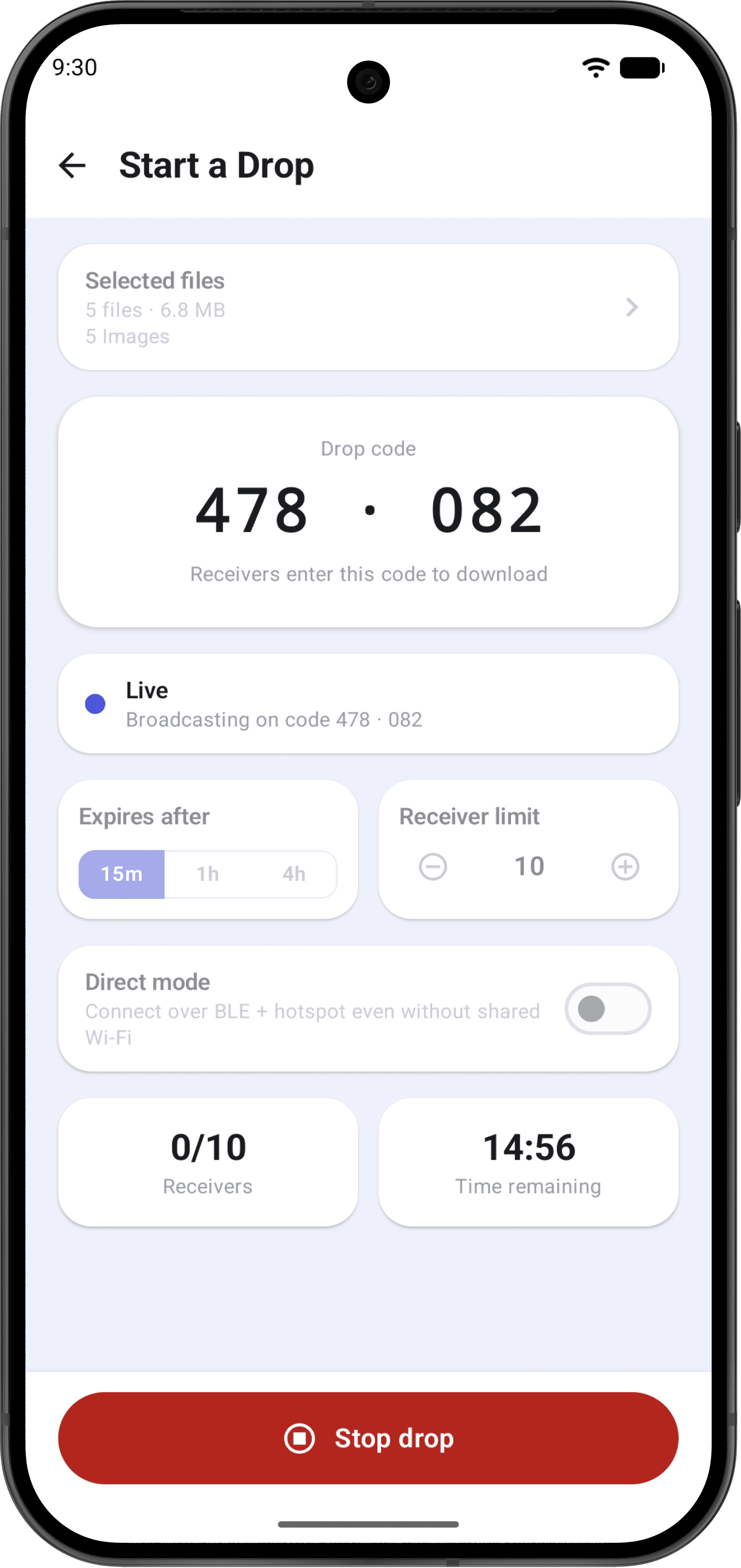 The sender stops here
 - Them
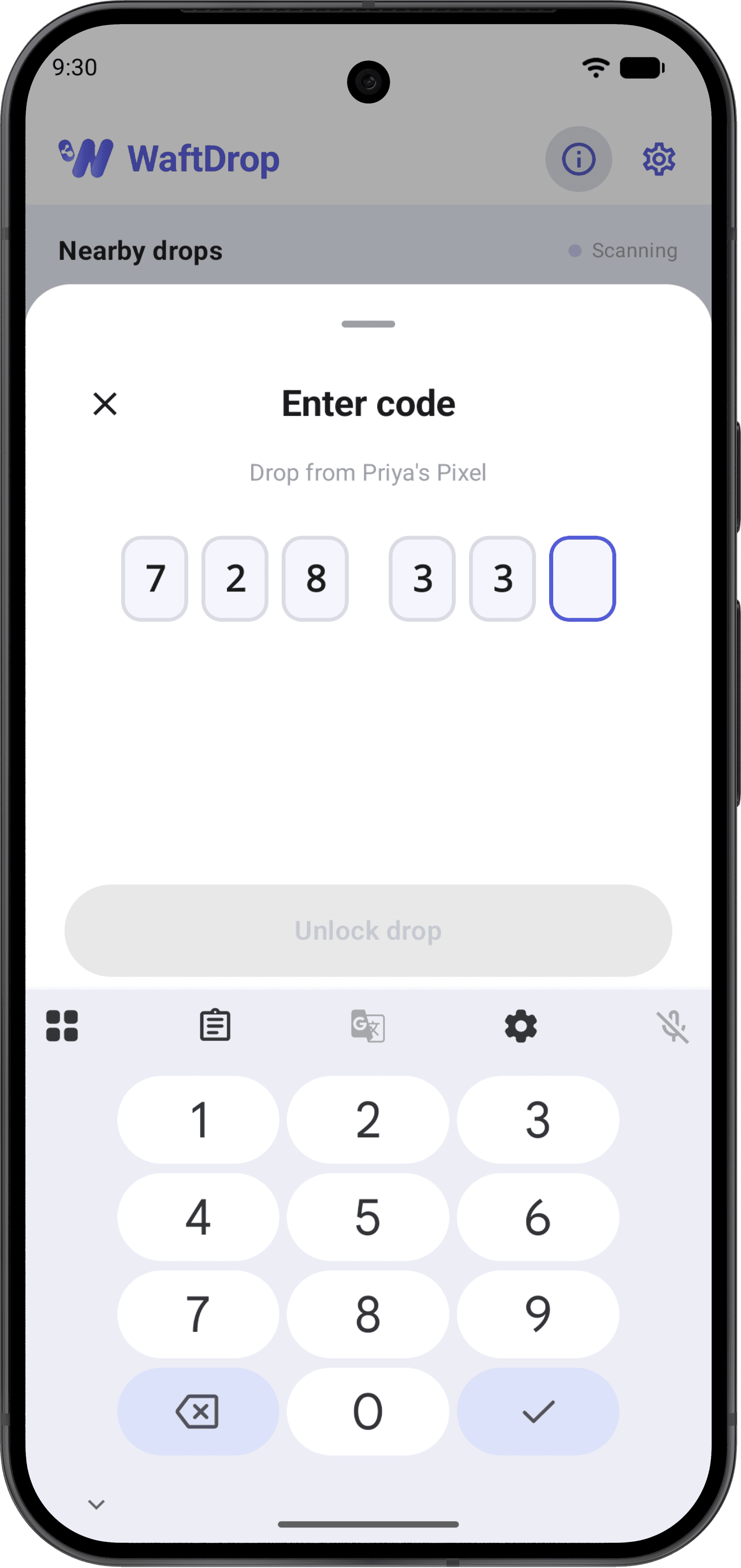
They help themselves
Everyone nearby sees your drop appear in a live feed. They enter the 6-digit code you read out and download straight from your phone.
Specification
The sending phone is the only source of truth.
- Concurrent receivers
- 8
- Everyone else is queued automatically and pulled in as slots free up — no one has to ask you to try again.
- Sender taps after Start
- 0
- No accepting, no confirming, no per-person taps. Your phone handles every receiver on its own.
- Drop code
- 6 digits
- Unlocks file names and contents, then issues a short-lived token bound to that receiver's IP address.
- Visible before the code
- Name, file count, size
- That is the whole of what a nearby device can see without the code. Nothing else is advertised.
- Drop expiry
- 15m · 1h · 4h
- Files exist only while the broadcast is live. When the drop stops, so does access.
- Transport
- Shared Wi-Fi or Wi-Fi Direct
- A temporary Wi-Fi Direct group announced over Bluetooth LE when you aren't already on the same network.
- Copies stored
- 0
- History records what you received, from whom, and where it was saved. Receipts only — never a second copy.
- Accounts required
- None
- No sign-in, no internet connection, no server in the middle at any point.
Every screen
Three tabs and one job.
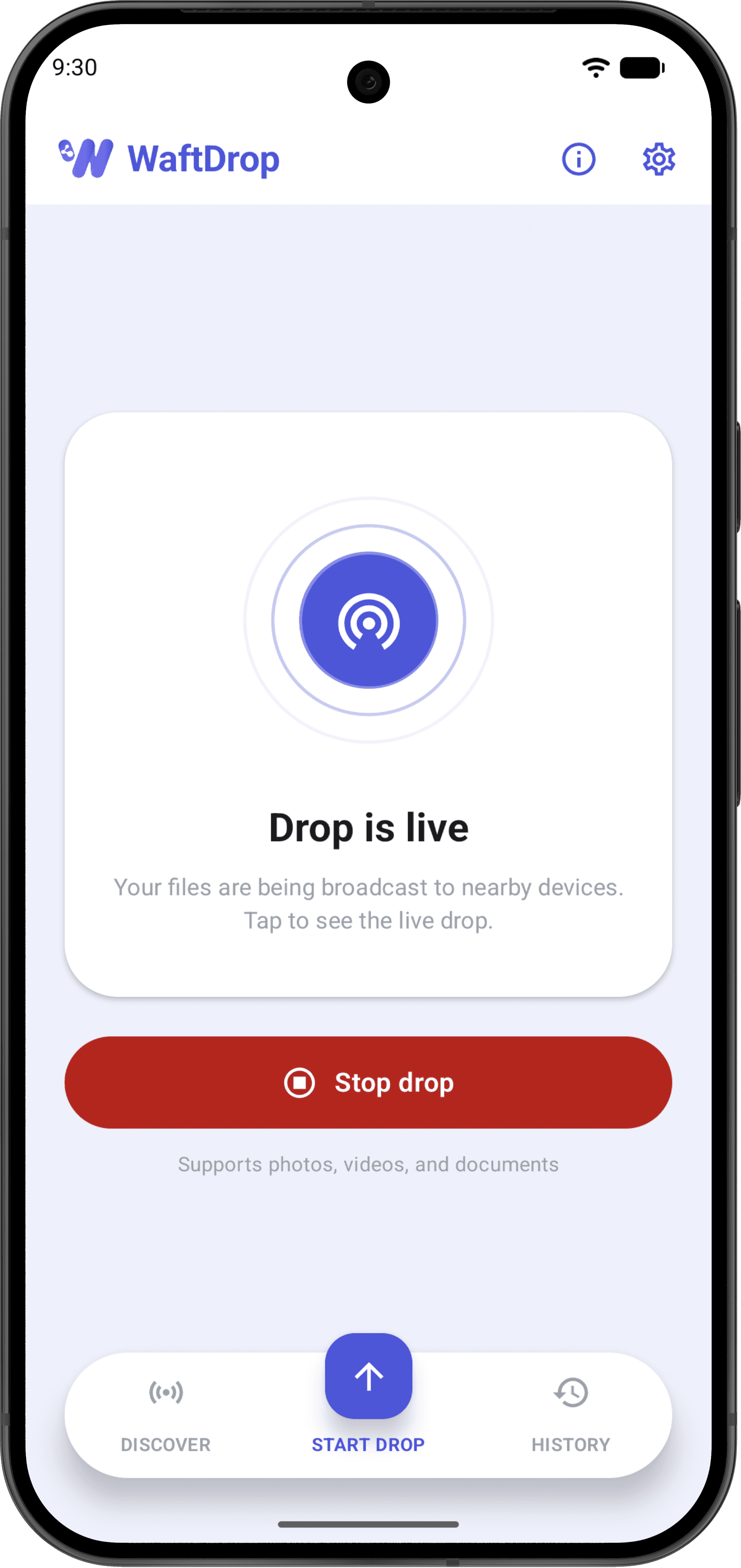
Home, mid-broadcast
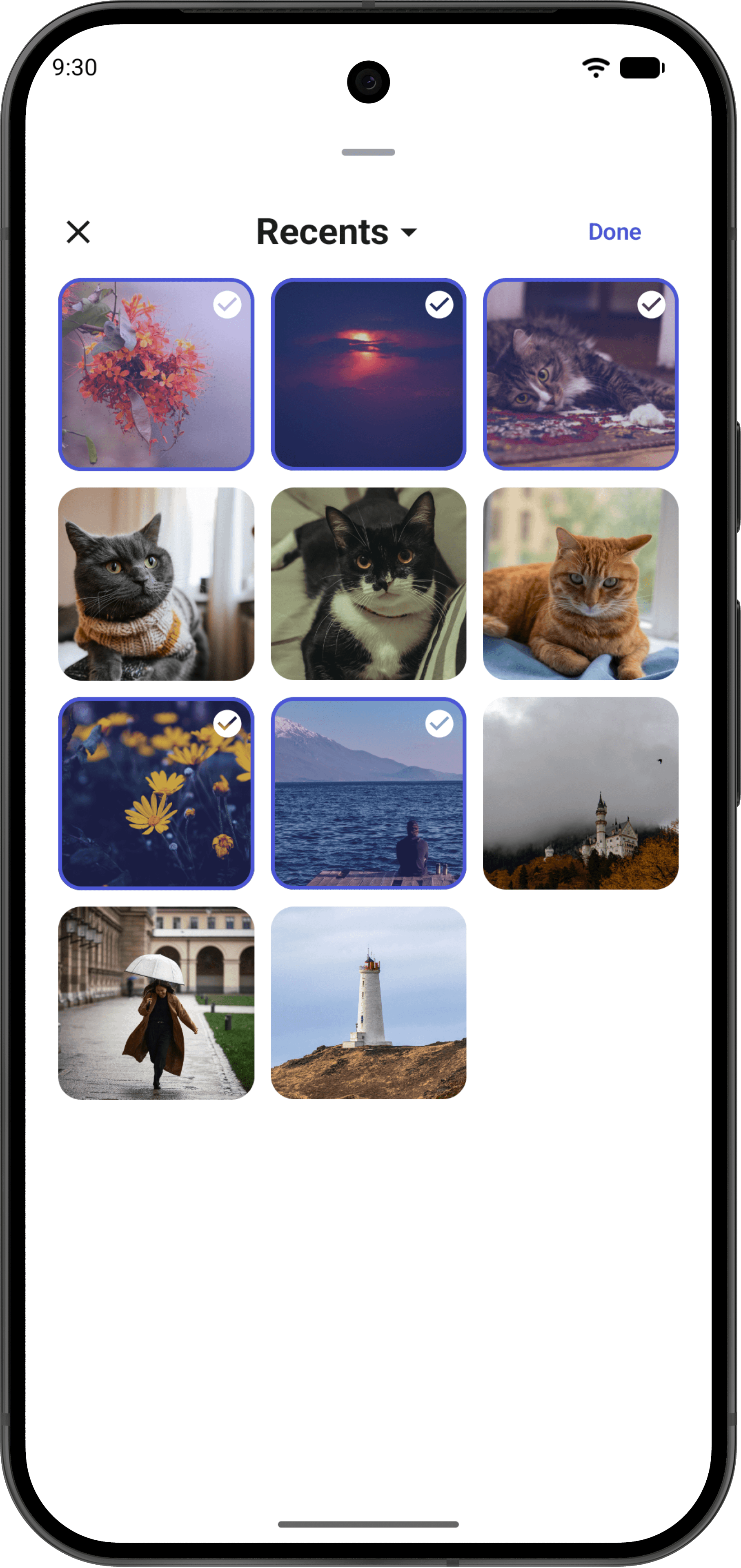
Pick anything
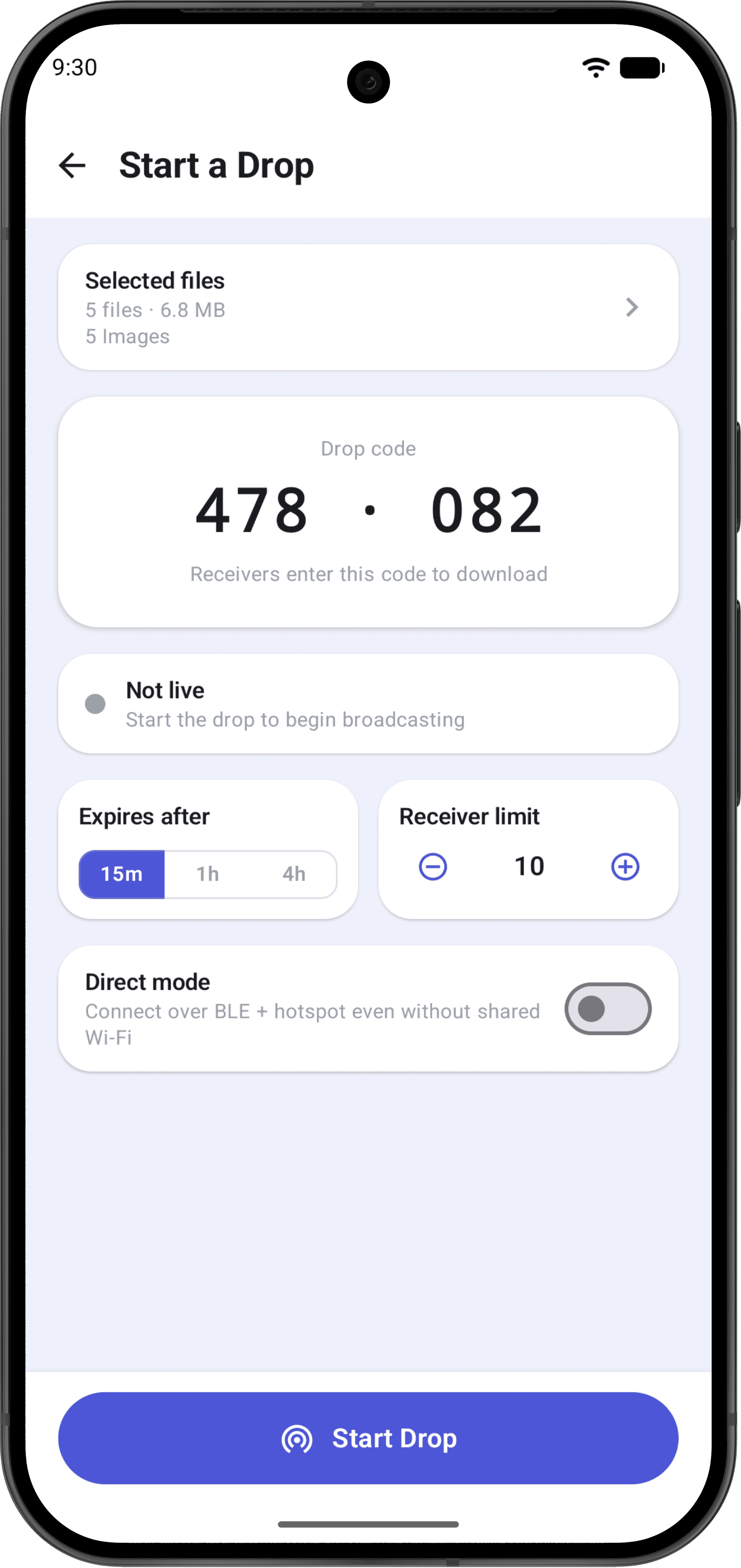
Expiry and limits
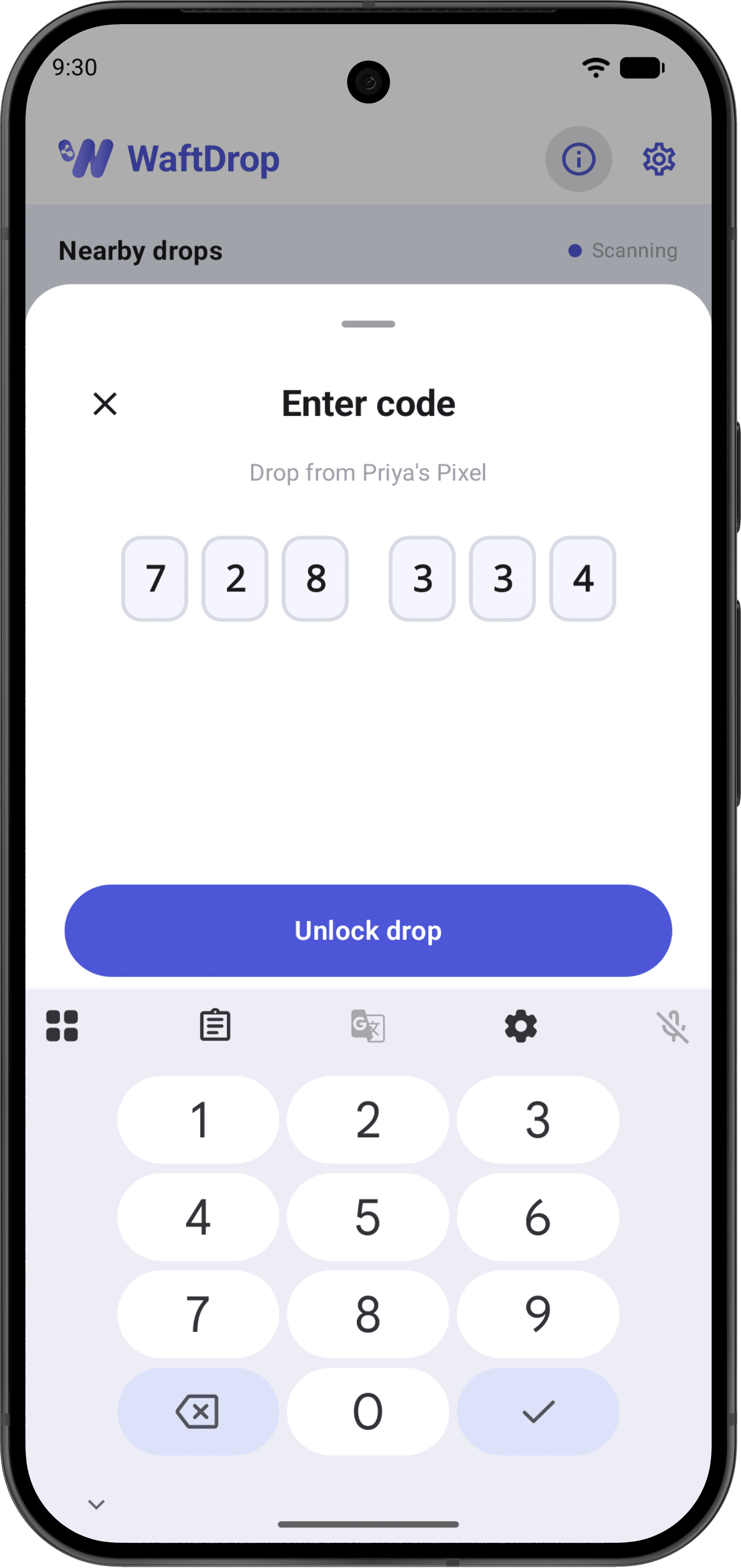
Six digits to unlock
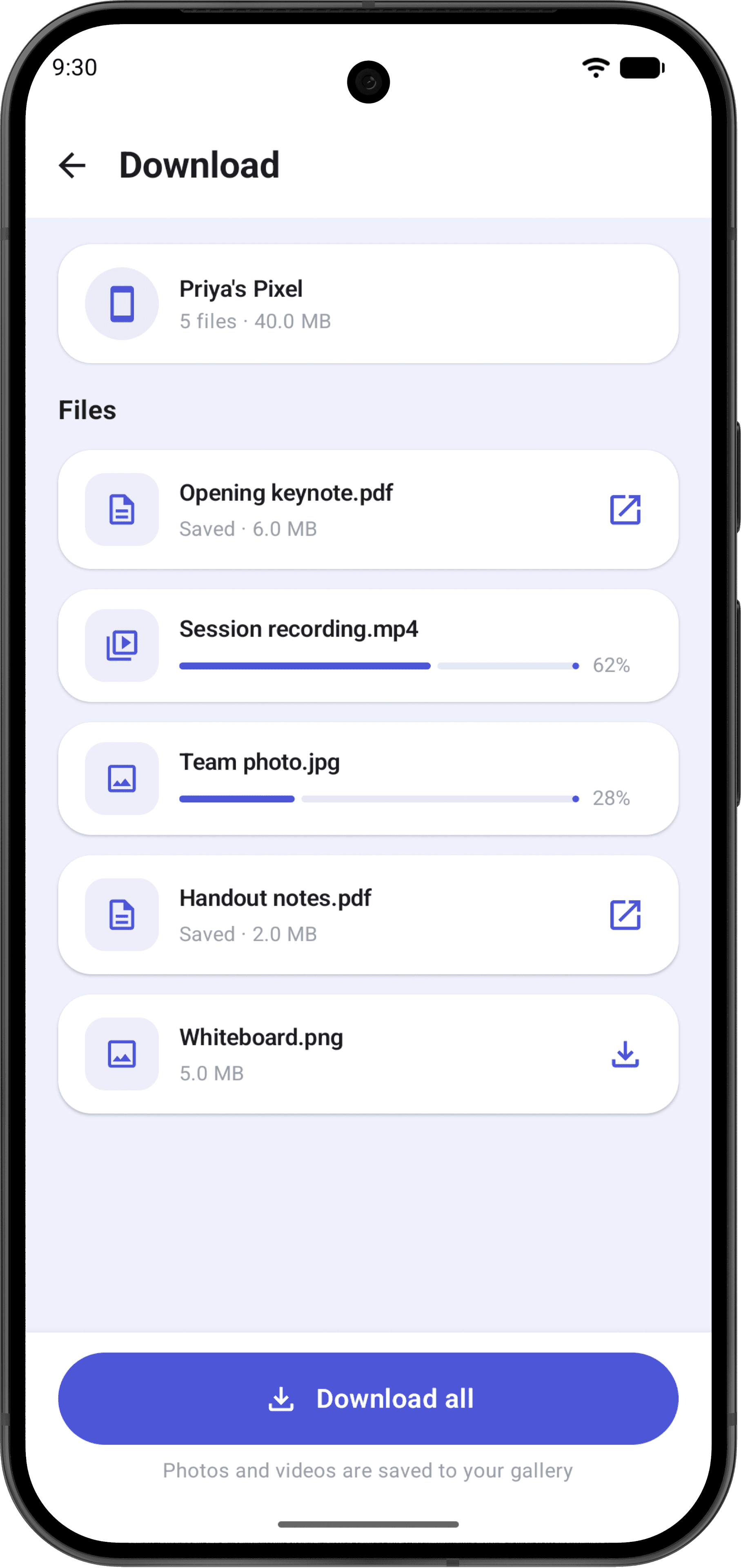
Files land directly
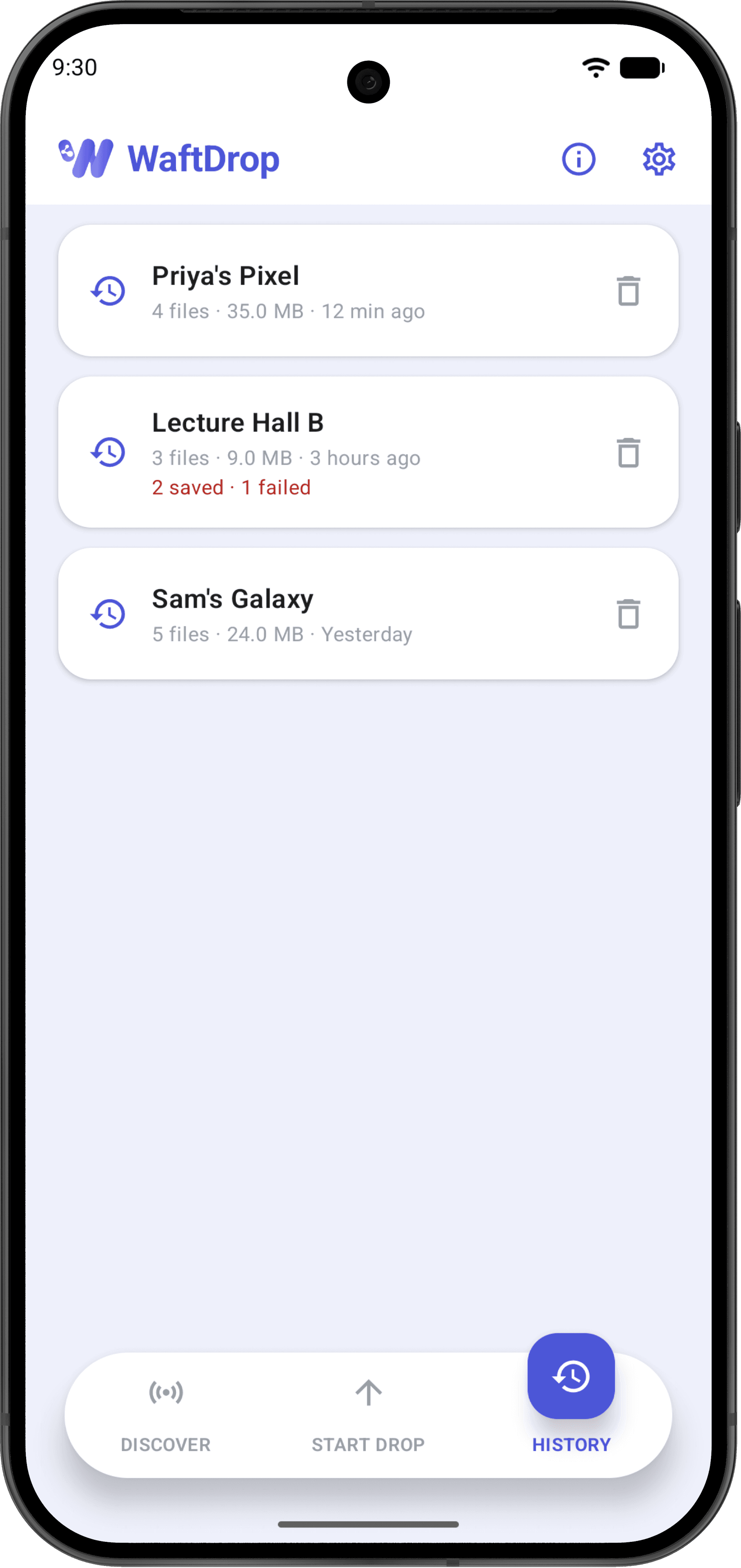
A history of receipts
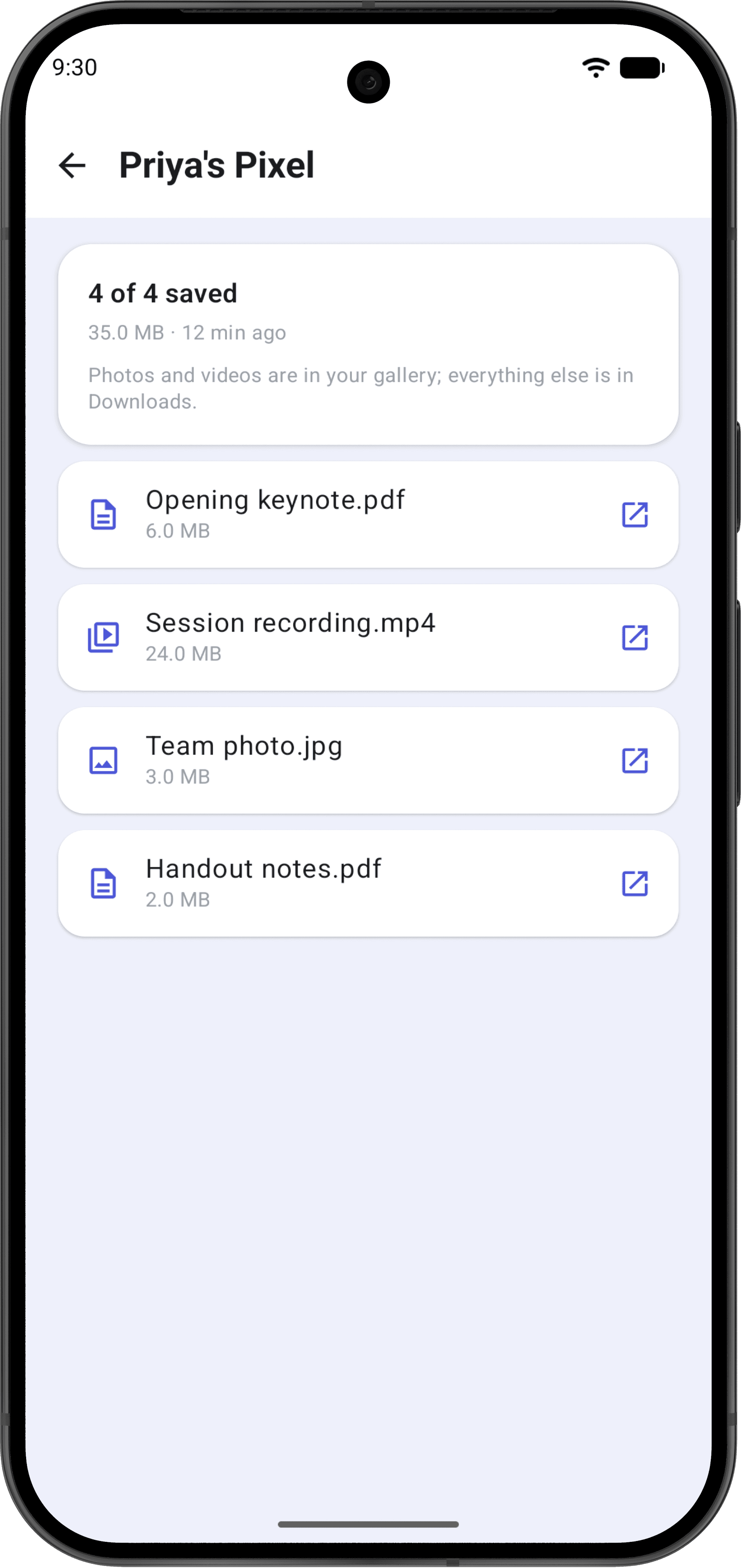
Every file accounted for
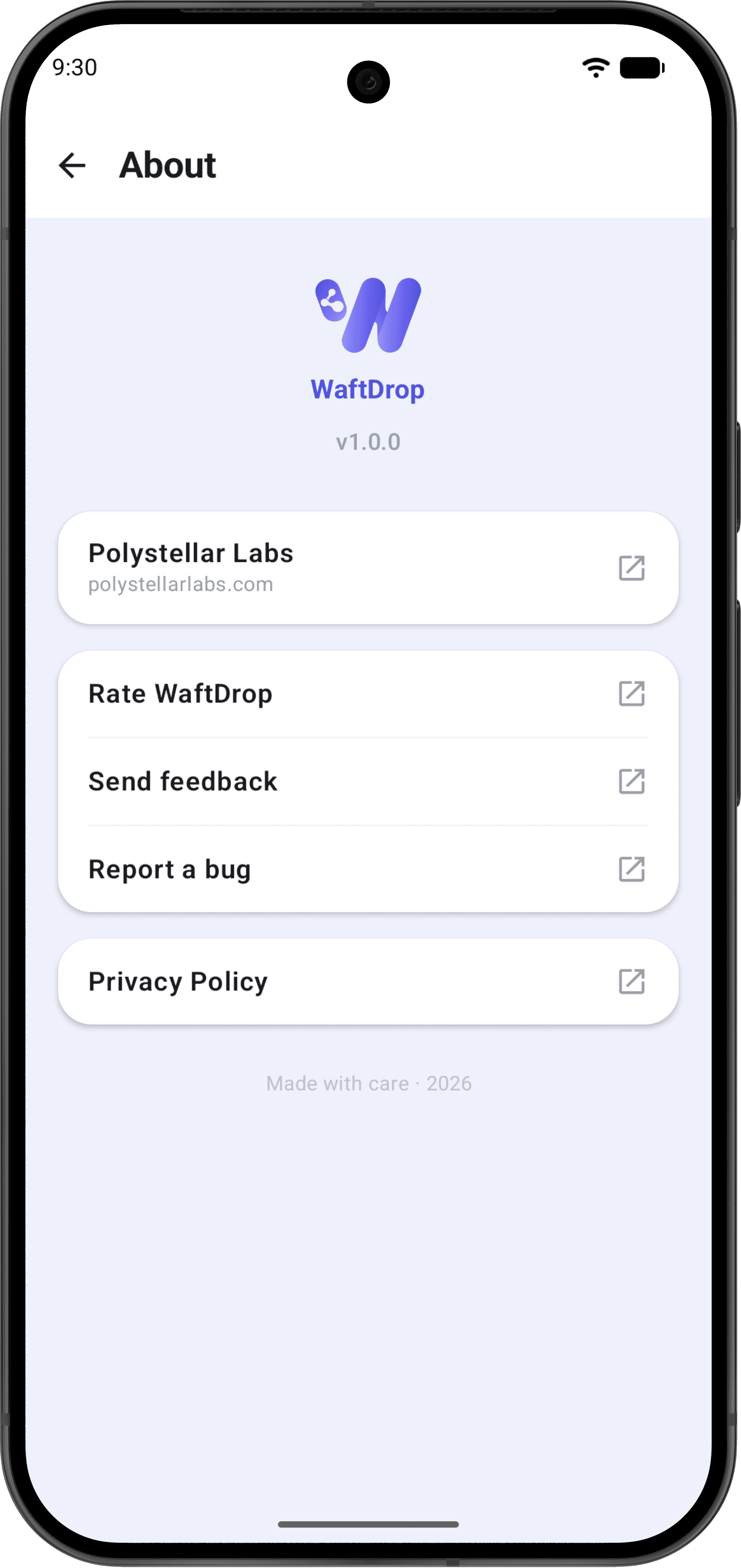
Small on purpose
WaftDrop does not collect your data.
Not as a policy position — as an architecture. There is no WaftDrop account and no WaftDrop server for your data to reach. Files travel directly from your device to the receiving device over local Wi-Fi or a direct connection.
- No accounts, no sign-in, nothing to create.
- No analytics, telemetry, crash reporting or ads.
- No servers — we operate none for WaftDrop at all.
- We never see your files, their names, or who you send them to.
- No location is collected, derived or stored. Ever.
What nearby devices can see
Before anyone enters your code: your display name, the number of files and total size, and whether the drop expires. That's the whole list. File names and contents stay locked.
How access is gated
A 6-digit code you share deliberately, a short-lived token tied to the device that entered it, a lockout after repeated wrong codes, and an expiry and receiver limit you set yourself.
Stated plainly: transfers are not encrypted
WaftDrop sends files over a plain local connection. It never leaves your network and access needs your code, but someone already on that network could in principle observe traffic. We would rather say this clearly than imply protection that isn't there. For sensitive files, prefer Direct mode or a network you trust.
Share once. Walk away.
A teacher with 30 students. A speaker with a full room. A friend with a trip's worth of photos. One tap covers all of them.
Free · Android · Nothing stored anywhere but your phone